
NovelPub-Wonderful Reader
X-ReaderBooks & Reference
3.348.00 Reviews
- Version
- 2.0.5
- Installs
- 100.00K
- Age Rating
- Mature 17+
Screenshots
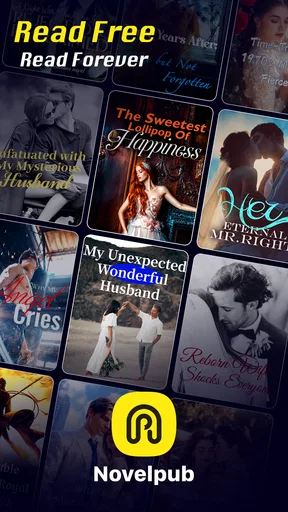

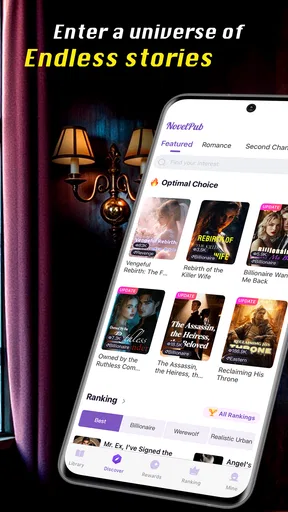

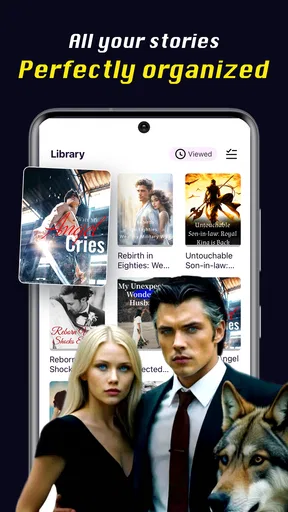
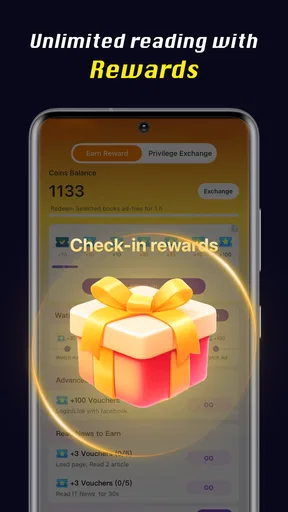
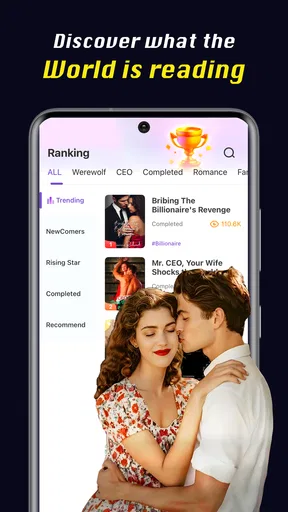
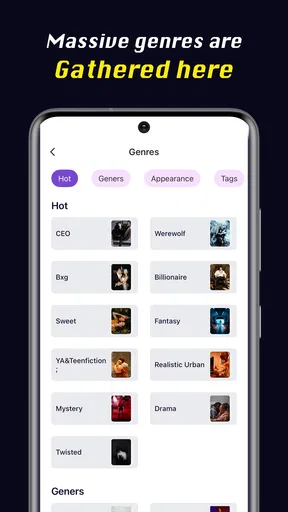
Our Review of NovelPub-Wonderful Reader
 Analysis by Appyee
I approached NovelPub-Wonderful Reader as someone looking for a straightforward way to read novels on a phone, but I quickly found that the more important question is not only what it offers. It is also how comfortable I feel using it, what choices are visible while I browse, and whether the reading experience suits my habits. This is a free Books & Reference app from X-Reader, aimed at readers who want popular novels and original fiction gathered in one place.
My overall impression is mixed but worthwhile. The app has an accessible idea and a low barrier to entry, yet its average rating of 3.3 from around 200 ratings suggests that the experience is not equally satisfying for everyone. I can understand both sides. It is convenient to have a dedicated novel reader instead of jumping between browser tabs, but convenience alone does not guarantee a polished reading routine.
It is available for Android devices running version 7.0 or later, and the current release is 2.0.5. That broad system compatibility makes it practical for people using older phones, although anyone who values a highly refined reading environment may want to test it carefully before committing to a long reading project.
What reading with NovelPub feels like
The central appeal is simple: open a reading app, look through its collection, and settle into a novel without treating the phone browser as your library. That focus makes it easier for me to switch from casual browsing to actual reading. The app belongs to the kind of mobile reading service where discovery is part of the experience, so it may appeal more to readers who enjoy sampling unfamiliar stories than to people who already have a fixed list of purchased books.
I would describe the experience as discovery-led rather than ownership-led. If you already manage a carefully organized collection in an ebook app, NovelPub may feel less essential. If you often ask yourself what to read next, its combination of popular novels and original work is more relevant. The distinction matters because the best reading app depends on whether you bring your own books or expect the app to help you find them.
One useful habit is to treat the first session as a trial of the catalog, not as a promise that every title will suit you. I would browse several genres or story types, open more than one sample, and pay attention to whether the writing style and chapter rhythm match what I normally enjoy. This avoids the common mistake of judging the entire service from the first novel that appears on screen.
The app is free to install, but it includes optional purchases ranging from $0.99 to $49.99 per item. That range is important for budgeting. I would not begin reading a long serial while assuming that every chapter or reading path will remain free. Instead, I would first understand where the free experience ends, what an individual purchase unlocks, and whether the payment is tied to a particular story or a broader benefit. Those details affect the real value much more than the download price.
Who will get the most from it
NovelPub is a sensible candidate for readers who prefer fiction on a phone, enjoy discovering less familiar authors, and do not mind evaluating stories one at a time. It may also suit someone who wants a separate reading space rather than mixing novels with a general web browser, social feeds, and unrelated notifications.
I can imagine using it during a commute, while waiting for an appointment, or in the evening when I want something lighter than a video. A realistic routine would be to browse at home on a larger connection, choose a story, and then read short sections during spare moments. That approach reduces the temptation to make purchase decisions in a hurry and gives me time to decide whether a novel deserves continued attention.
It is less suitable for readers who require a fully controlled personal library, depend on a particular ebook format, or want to read only books they already own. It is also not my first recommendation for anyone who dislikes in-app purchasing models. The presence of optional items does not automatically make the app poor, but it does mean that cautious readers should make deliberate choices rather than tapping through a story without checking the cost implications.
Small decisions that improve the experience
My first practical tip is to separate discovery from reading. I would spend a few minutes exploring titles before starting one, because a catalog built around popular novels and originals can encourage impulse choices. Once I find a promising book, I would note its name and return to it after considering whether I actually want a longer commitment.
My second tip is to establish a spending boundary before using any paid option. Since the purchase range reaches from a small amount to a substantially larger one, a personal limit is more useful than relying on memory. I would also review the purchase screen carefully each time, especially when moving from free chapters to paid content. The key trade-off is convenience versus attention: fast reading is pleasant, but fast tapping can make costs less visible.
My third tip concerns phone storage and attention. A reading app can become distracting if browsing takes over from reading, so I would choose a specific time for catalog exploration and a separate time for the novel itself. This sounds minor, but it changes the app from an endless recommendation feed into a tool I control.
A fourth useful approach is to judge the app over several reading sessions rather than one short opening. The first session tells me whether the catalog has immediate appeal; later sessions reveal whether the reading flow remains comfortable. If I repeatedly spend more time searching than reading, a traditional ebook reader with my own collection may be the better fit.
Trust, controls, and moments that deserve attention
When I review a reading app, I do not treat a pleasant interface as proof that the service is trustworthy. I look for visible choices around accounts, purchases, and personal use, and I prefer controls that are understandable before I make a commitment. With NovelPub, my cautious approach would be to inspect every sign-in, payment, and account-related screen as it appears, rather than assuming that the free download explains the whole relationship.
The free entry point is helpful because it lets a reader explore before paying. At the same time, the optional purchase model creates a data-sensitive moment whenever a reader moves from browsing to buying. A payment decision is not only about the story; it is also about recognizing what is being authorized. I would pause at that point, read the wording, and confirm that the selected item is the one I intended to obtain.
I would apply the same care to account controls. If the app asks me to create or connect an account, I would choose the minimum information needed for the reading experience and avoid sharing extra details simply because a form makes them available. I would also look for ways to manage the account, sign out, or review purchase history from within the visible settings. These are ordinary precautions, but they give the reader more agency.
I do not infer privacy quality from the app’s category or from its rating. A novel reader can still involve personal choices, reading habits, and payment activity, so I would check the permissions requested on my own device and allow only what makes sense for the function I am using. If a permission appears unrelated to reading or browsing, I would stop and investigate before granting it.
This is one area where I prefer a slower setup. I would install the app, review the permission prompts, examine account options, and then browse without immediately purchasing anything. That sequence creates a useful separation between testing the reader and committing money or personal information. It also makes it easier to decide whether the app deserves a place in my regular routine.
How it compares with familiar alternatives
Compared with a standard ebook reader, NovelPub appears more focused on finding stories within its own reading environment. A conventional ebook app is usually stronger when I already have files, books, or a long-established library to organize. NovelPub is more interesting when I want the app itself to introduce me to novels and originals.
Compared with reading novels in a mobile browser, a dedicated app should feel more focused because the reading activity is separated from ordinary web browsing. The advantage is concentration and convenience; the disadvantage is that I am placing more trust in one service’s catalog, account flow, and purchase choices. A browser may be more flexible, while NovelPub may be more comfortable for someone who wants a single-purpose reading destination.
Compared with a subscription-based reading service, the purchase range here makes it especially important to understand how access is paid for. A subscription can be easier to budget when its terms are clear, while individual in-app purchases may be preferable for someone who reads selectively. Neither model is automatically better. I would choose based on how often I read, whether I finish serialized stories, and how comfortable I am with making repeated small decisions.
The rating of 3.3 is a useful warning to keep expectations realistic, but it is not enough by itself to decide whether the app suits me. Reading preferences are personal, and a catalog that works for one person may feel limited to another. I would give more weight to the quality of the titles I can actually sample, the ease of the reading flow, and the clarity of purchase and account controls.
Where the app may frustrate careful readers
The first limitation is uncertainty around value. Because the app is free to start but offers paid items, the total cost of following a favorite novel may depend on how I read and what I choose. Readers who want a predictable one-time purchase may find this less comfortable than buying a complete ebook elsewhere.
The second limitation is that discovery can become work. A large choice of stories sounds useful, but browsing is only valuable when it leads to reading. If the app repeatedly presents titles that do not match my interests, I may spend too much time searching. My workaround would be to keep a short list of promising books and stop browsing once I have a clear next choice.
The third limitation concerns trust signals. I prefer apps that make account, permission, and payment decisions easy to understand at the moment they matter. If any of those controls feel hidden or overly complicated on my device, I would reduce my use rather than trying to work around uncertainty. That is not a judgment about unseen practices; it is a practical rule for protecting my own information and spending.
The mature 17+ content rating also narrows the audience. Adults looking for contemporary or intense fiction may see that as appropriate, but I would not install it for a child or assume that every title is suitable for younger readers. Families should choose a different reading option when age filtering and child-focused controls are the priority.
My cautious recommendation
After using the app as a reading and discovery tool, I see a reasonable option for adults who want novels and originals in one mobile destination. The strongest case for it is curiosity: if I enjoy trying unfamiliar stories and want a free starting point, NovelPub gives me a reason to browse. Its broad Android compatibility is another practical advantage for readers who are not using a recent phone.
I would recommend beginning slowly. Install it, examine the visible permissions and account choices, browse without buying, and test whether the available stories genuinely hold your attention. If a paid chapter or item appears, check the amount and what access it provides before confirming. This workflow protects both my budget and my expectations while still allowing me to explore the app properly.
I would skip it if I want a carefully managed personal library, a guaranteed fixed price for complete books, or a reading environment designed primarily for children. I would also choose a familiar ebook reader when my main goal is importing and organizing books I already own. NovelPub makes more sense when discovery is central and I am comfortable making selective in-app purchase decisions.
For me, the final verdict is cautiously positive rather than enthusiastic. The idea is appealing, the entry cost is low, and the focus on novels gives the app a clear purpose. However, the modest average rating, mature audience, and optional purchases mean that I would not recommend using it blindly. Start with browsing, verify each important choice, and pay only when the story and the terms both feel right. Used that way, it can be a useful companion for adult mobile readers, but it is not a universal replacement for a traditional ebook library.
Verdict
Strengths of NovelPub-Wonderful Reader
- Clean, distraction-free reading interface
- Supports adjustable text size and reading themes
- Useful bookmarks help you save favorite passages
- Large selection of novels across multiple genres
- Smooth page navigation on most supported devices
Limitations of NovelPub-Wonderful Reader
- Some titles may require coins, credits, or in-app purchases
- Content quality can vary between different authors
- Offline reading may be limited for certain books
- Frequent notifications can become distracting
- Privacy details and permissions should be checked before signing up
Similar Picks in This Category
View All
Google Play Books & Audiobooks
Google LLC4.7

네이버 - NAVER
NAVER Corp.3.5

Wattpad - Read & Write Stories
Wattpad.com3.7

King James Bible - Verse+Audio
Ozion4.8

Bible Offline-KJV Holy Bible
Bíblia Offline4.9

Amazon Kindle: Reading App
Amazon Mobile LLC4.8
Frequently Asked Questions
What is NovelPub-Wonderful Reader?
NovelPub-Wonderful Reader is a mobile reading app designed for people who enjoy serialized novels and digital fiction. It typically organizes stories by genre, popularity, updates, and reading progress, allowing users to discover new titles and continue chapters from where they stopped. Before downloading, readers should check the current catalog, supported languages, and whether the novels they want to read are available in their region.
Is NovelPub-Wonderful Reader free to download and use?
The application may be free to install, but access to all chapters or premium features can depend on the app’s monetization system. Some novels may offer free chapters while later content requires coins, credits, subscriptions, or in-app purchases. It is advisable to review the pricing details inside the app and confirm whether daily rewards, advertisements, or limited free unlocks are available before spending money.
Does NovelPub-Wonderful Reader require an internet connection?
An internet connection is generally needed to download the app, browse the novel library, synchronize reading progress, load new chapters, and process purchases. Depending on the version, selected chapters may be available for offline reading after they have been downloaded. Users with limited mobile data should use Wi-Fi when possible and verify the offline-reading rules, since not every title or feature may work without an active connection.
Are there advertisements or in-app purchases in NovelPub-Wonderful Reader?
NovelPub-Wonderful Reader may include advertisements, virtual currency, paid chapters, or subscription-style options, as is common with serialized fiction platforms. The exact offers can vary by title, country, operating system, and app version. Before downloading or unlocking chapters, users should inspect the purchase screen carefully, check whether payments renew automatically, and use device-level purchase protections if children also have access to the account.
Is NovelPub-Wonderful Reader safe and suitable for all readers?
The app should be downloaded only from an official Google Play or Apple App Store listing to reduce the risk of modified or unsafe files. Its content may include romance, drama, mature themes, violence, or other subjects depending on the novel, so it may not be appropriate for younger readers. Review the age rating, privacy permissions, developer information, and content warnings before creating an account or beginning to read.
